Data Visualization
Lecture 5: Data Viz II
Outline
- Readings: Chapters 1 and 2 and Wickham
Some Data
A Data Taxonomy
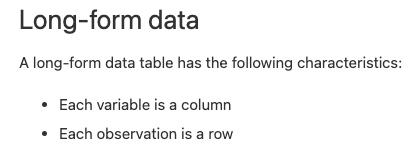
- Generally column-centric.
- Variables in columns.
- Units in rows.
Chapter 2
- Means and standard deviations [TBC]
- Boxplots and percentile statistics [TBC]
- Histograms, densities, and shape
- Outliers, robust statistics, and shape
- Transformations
A note on context, or why you want to upload the csv [or similar]
Summarizing Data
Summary Statistics
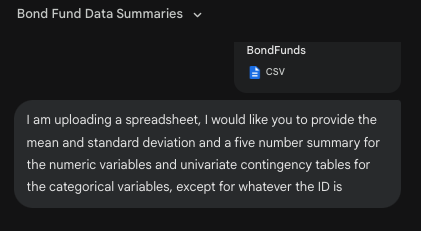
Output
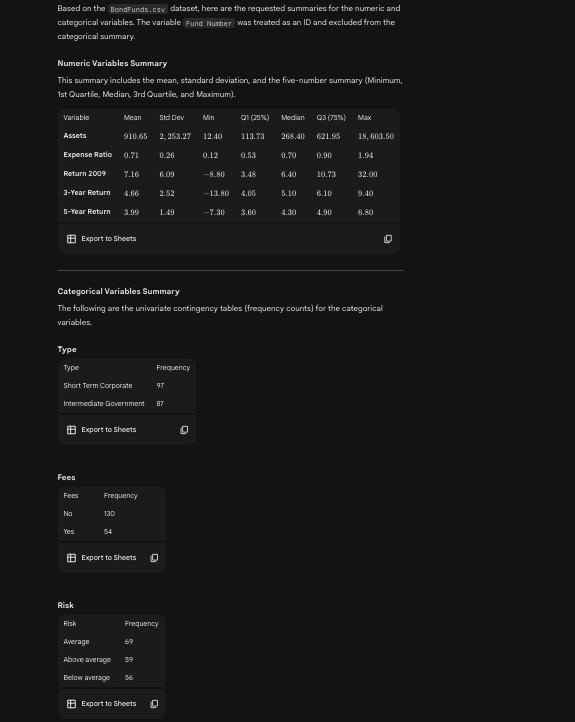
Seaborn is the current tool…
All kinda of possibilities
Start with a categorical variable
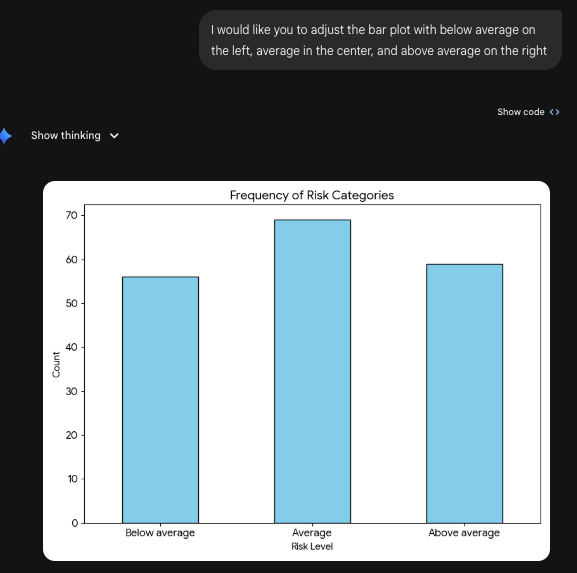
What can we do? Generically, nothing more than frequency. A table or a figure.
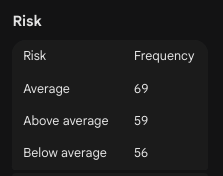
Table
Bar plot
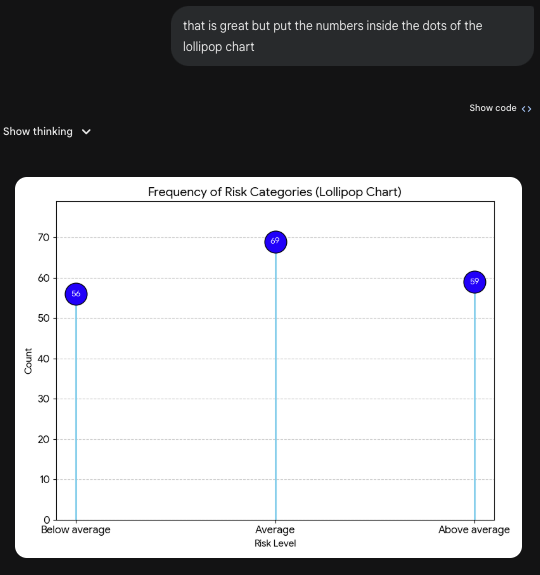
A Lollipop Chart
could you turn that into a lollipop chart
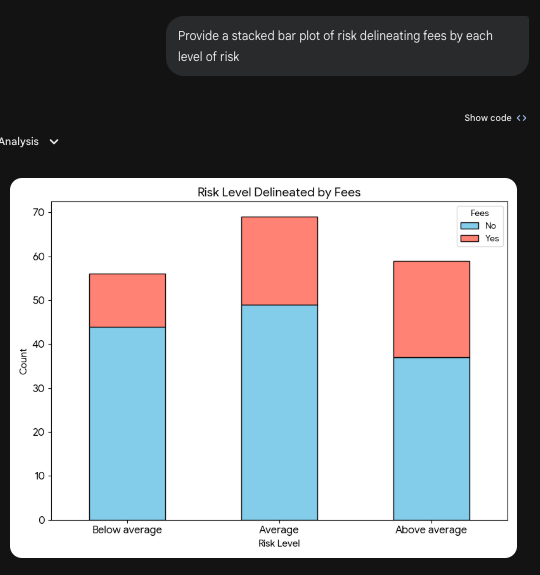
Two Categorical Variables [Stacked]
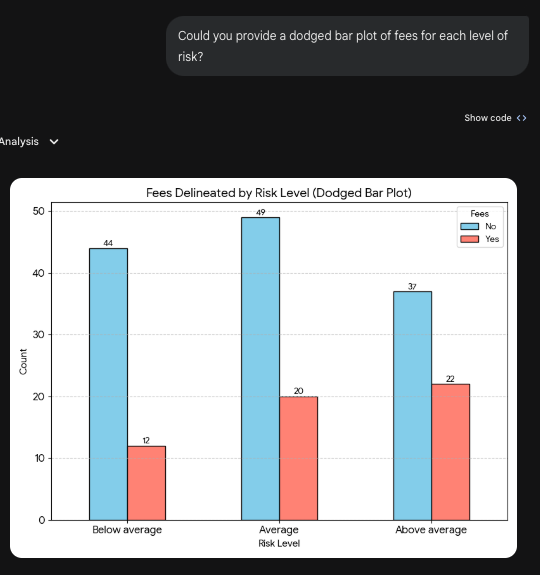
Two Categorical Variables [Dodge]
A Mosaic
Could you constuct a mosaic plot of risk and fees?
Quantitative Variables
The core idea is they exist on a continuum; the likelihood of any particular realization is usually zero.
As a result:
- we bin them.
- we smooth their incidence.
Quantitative Variables
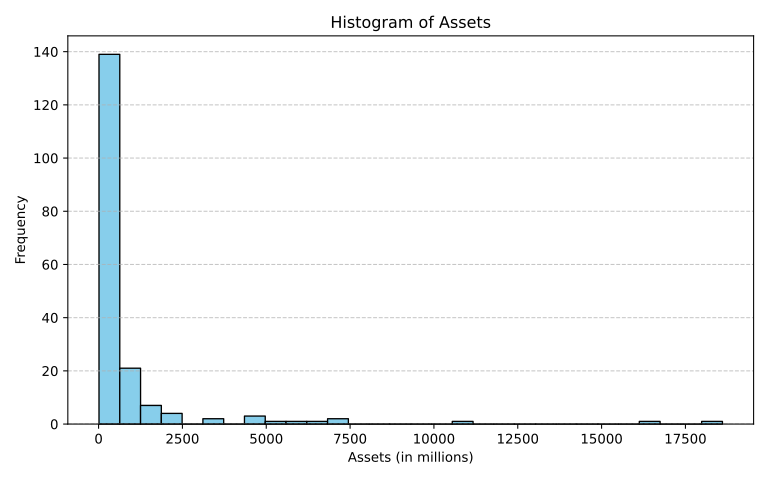
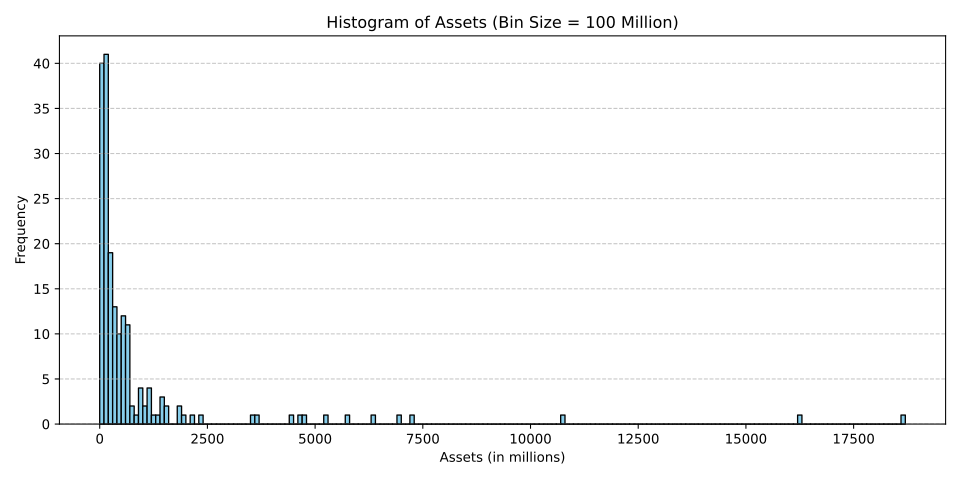
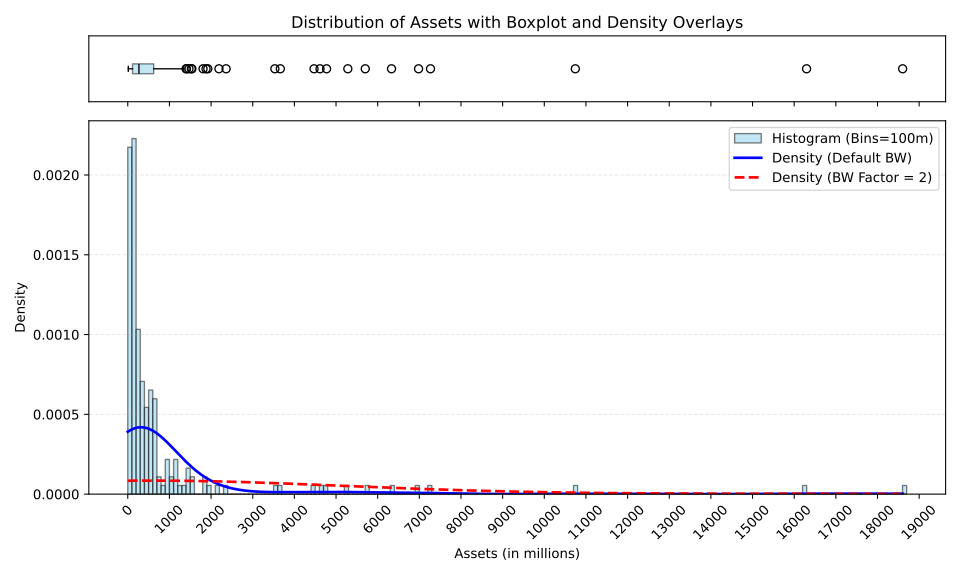
Show a histogram of assets
Controlling bins
show a histogram of assets with bins of size 100 million starting with 0 to 100 million
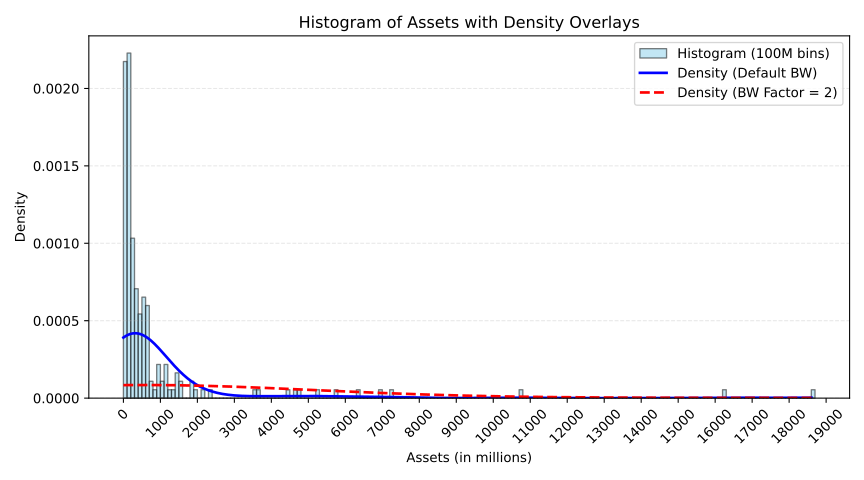
Densities
Boxplots
Qualitative/Quantitative Combinations
A Combination of Three Plots
A violin, boxplot, and raincloud
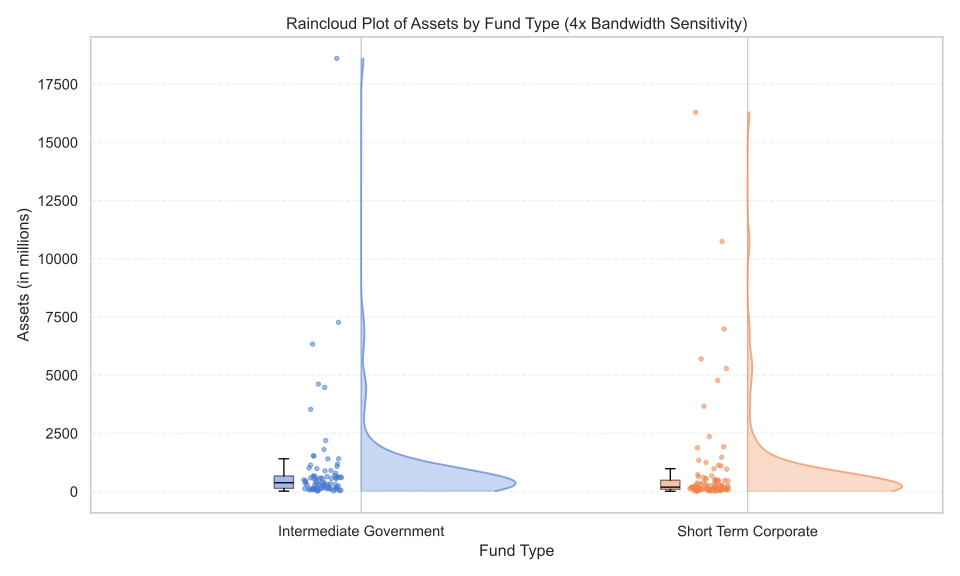
The boxenplot
How’s that done?
import pandas as pd
import seaborn as sns
import matplotlib.pyplot as plt


# Create the boxenplot for 'Return 2009' by 'Type'
plt.figure(figsize=(8, 5))
sns.boxenplot(x='Type', y='Return 2009', data=df, palette='muted')

# Styling
plt.title('Boxenplot of 2009 Returns by Fund Type')
plt.xlabel('Fund Type')
plt.ylabel('Return 2009 (%)')
plt.grid(axis='y', linestyle='--', alpha=0.3)

plt.tight_layout()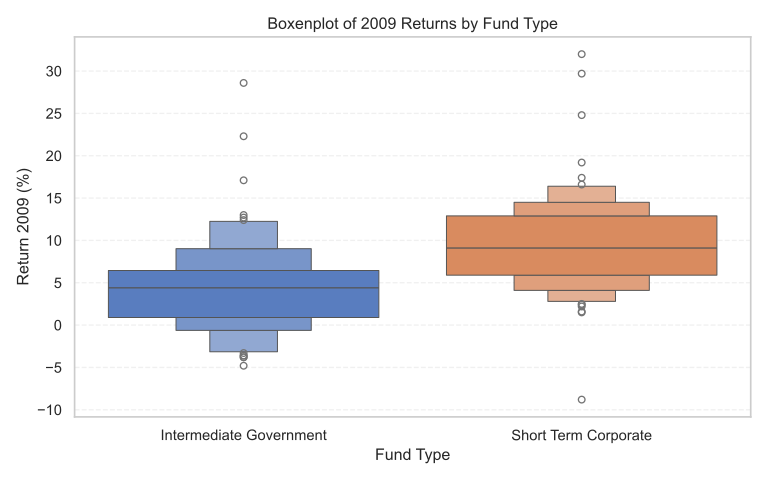
Violins
Note
Prompt: Can you show a violin plot of returns in 2009 by risk and type?
How’s that done?
# Set categorical order for Risk
risk_order = ['Below average', 'Average', 'Above average']
df['Risk'] = pd.Categorical(df['Risk'], categories=risk_order, ordered=True)

# Create the violin plot
plt.figure(figsize=(8, 5))
sns.violinplot(x='Risk', y='Return 2009', hue='Type', data=df, split=True, palette='muted', inner='quartile')

# Styling
plt.title('Violin Plot of 2009 Returns by Risk and Fund Type', fontsize=14)
plt.xlabel('Risk Level', fontsize=12)
plt.ylabel('Return 2009 (%)', fontsize=12)
plt.legend(title='Fund Type')
plt.grid(axis='y', linestyle='--', alpha=0.3)

plt.tight_layout()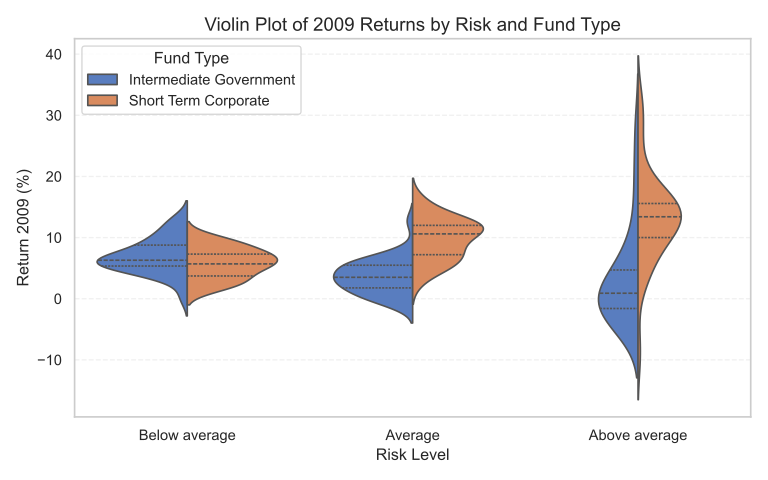
Adjustment
Note
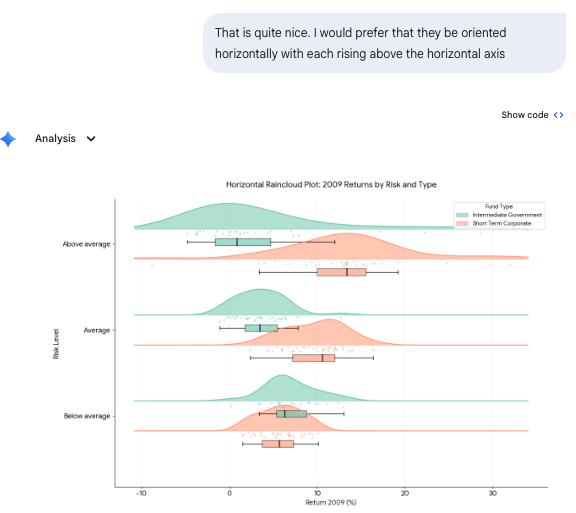
Prompt: That is quite nice. I would prefer that they be oriented horizontally with each rising above the horizontal axis
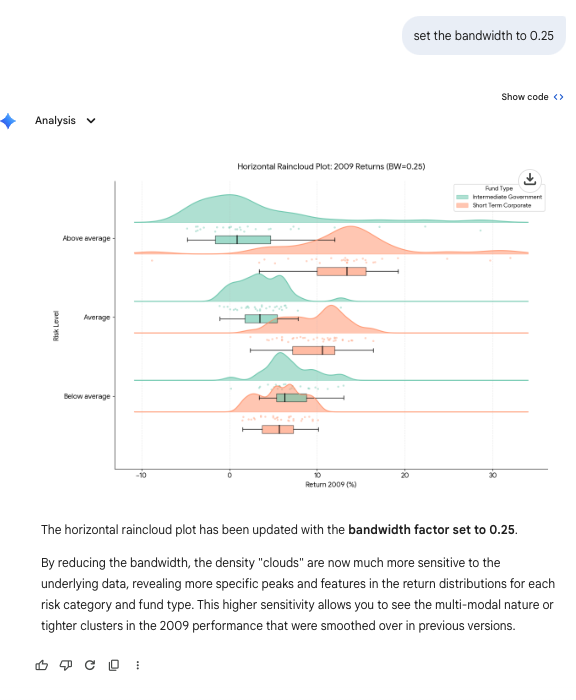
Bandwidth adjustment
Two Quantitative Variables
Scatterplots [Lines just connect points]
Important
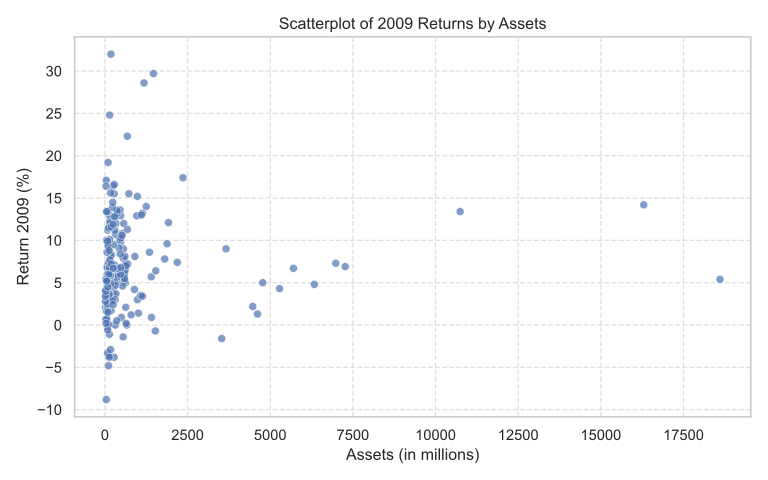
Prompt: create a scatterplot of returns by assets
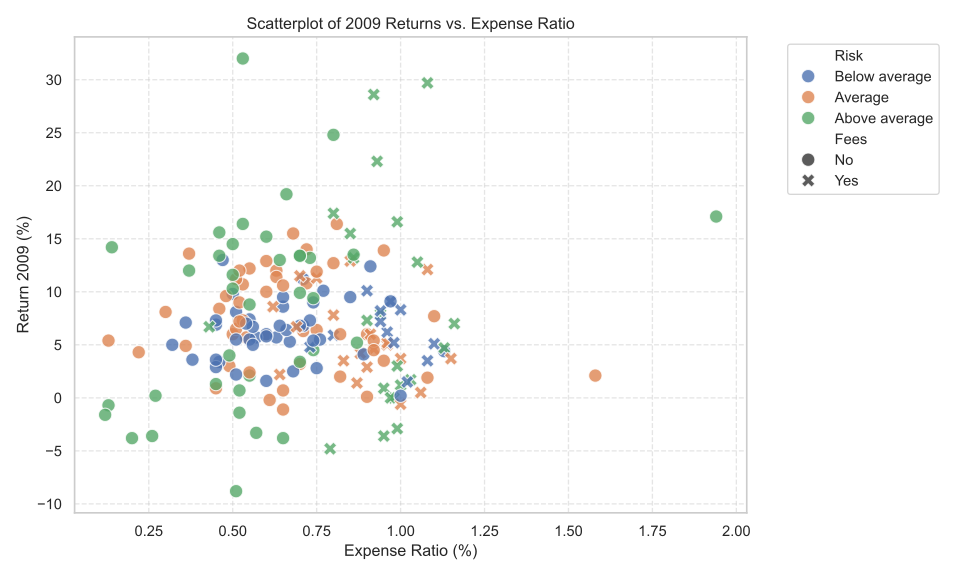
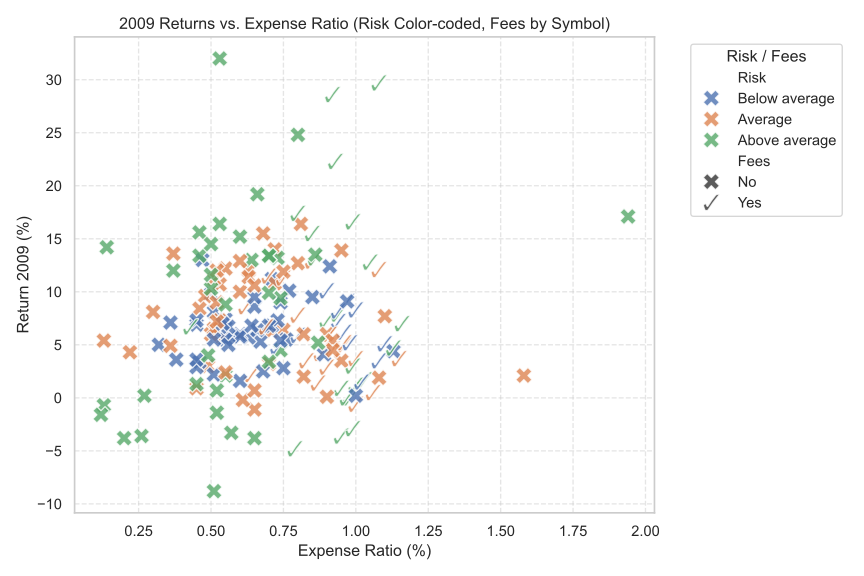
Prompt: create a scatterplot of expense ratios and returns with symbols from fees and colors from risk
Important
Prompt: use a checkmark for yes and an X for no as the symbols
plotly
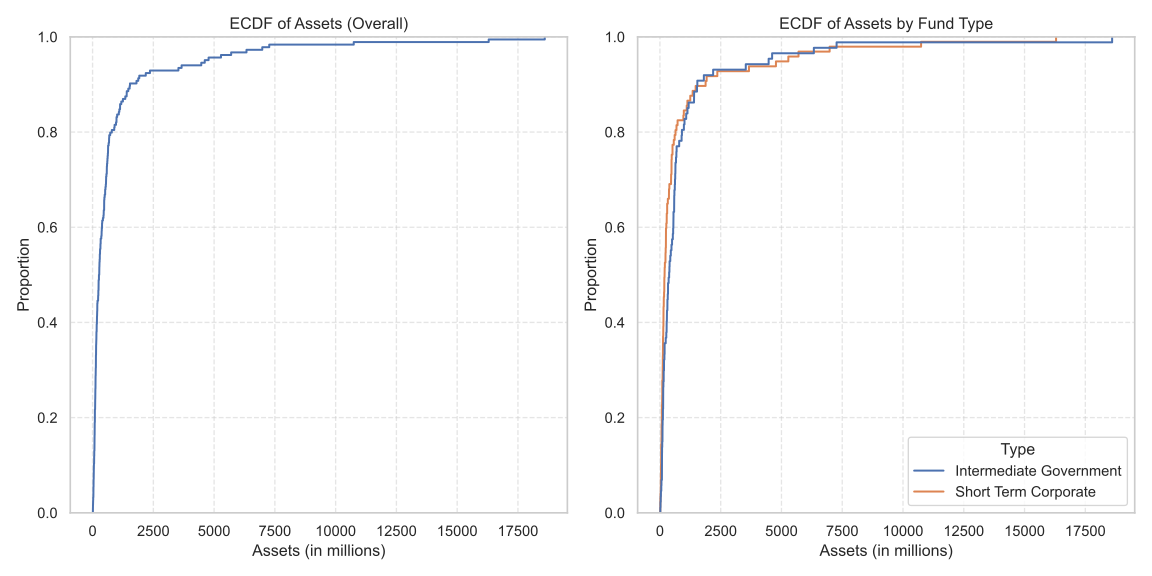
ECDFs and Probability: A Link